Showing posts with label Apps. Show all posts

March 19, 2015

Technology Thursday Linky: Pic Collage... Simple App with Endless Possibilities!

I've had the Pic Collage app on my iPad and iPhone for quite some time now, but it wasn't until I went to the Ed Tech Conference last week that I realized just how it could be used in the classroom.  I went to a session on this app and as I started to play around with it, my thoughts started to explode! 


Pic Collage is a simple app that lets you add photos, text, stickers, web images, YouTube videos, and backgrounds and arrange them in any way you want.  They also have built in layouts for your photos.  So, I started brainstorming and searching for pictures.  Below are examples of ideas for using the app in the classroom. I hope you see something that sparks your creativity!


I've taken a few screen shots to help you use the app...
Click the help icon top center to show you how to use the app.

Click the bottom center button to add text, images, stickers and backgrounds or touch anywhere on the page and the same menu will appear.

When adding text, you can choose the font, color and other options.  After adding text, pinch in or out to increase or decrease the font size.  You can also pull the text on each side to stretch the text box width.


Add photos from several locations.  After adding them, double tap the photos to apply effects, borders, crop them, duplicate them or set one as the background. 

Choose the sticker button from the bottom center button.  There are several sticker sets that are free.  You can double tap a sticker to duplicate it.  This is how I made the Patterns collage shown in the examples

Choose a background by clicking the bottom center button.  You can choose one from the menu or click the search button on the left to find backgrounds on the web.  The possibilities are endless!

Touch the layout button on the bottom left corner if you'd rather choose a layout other than free style.

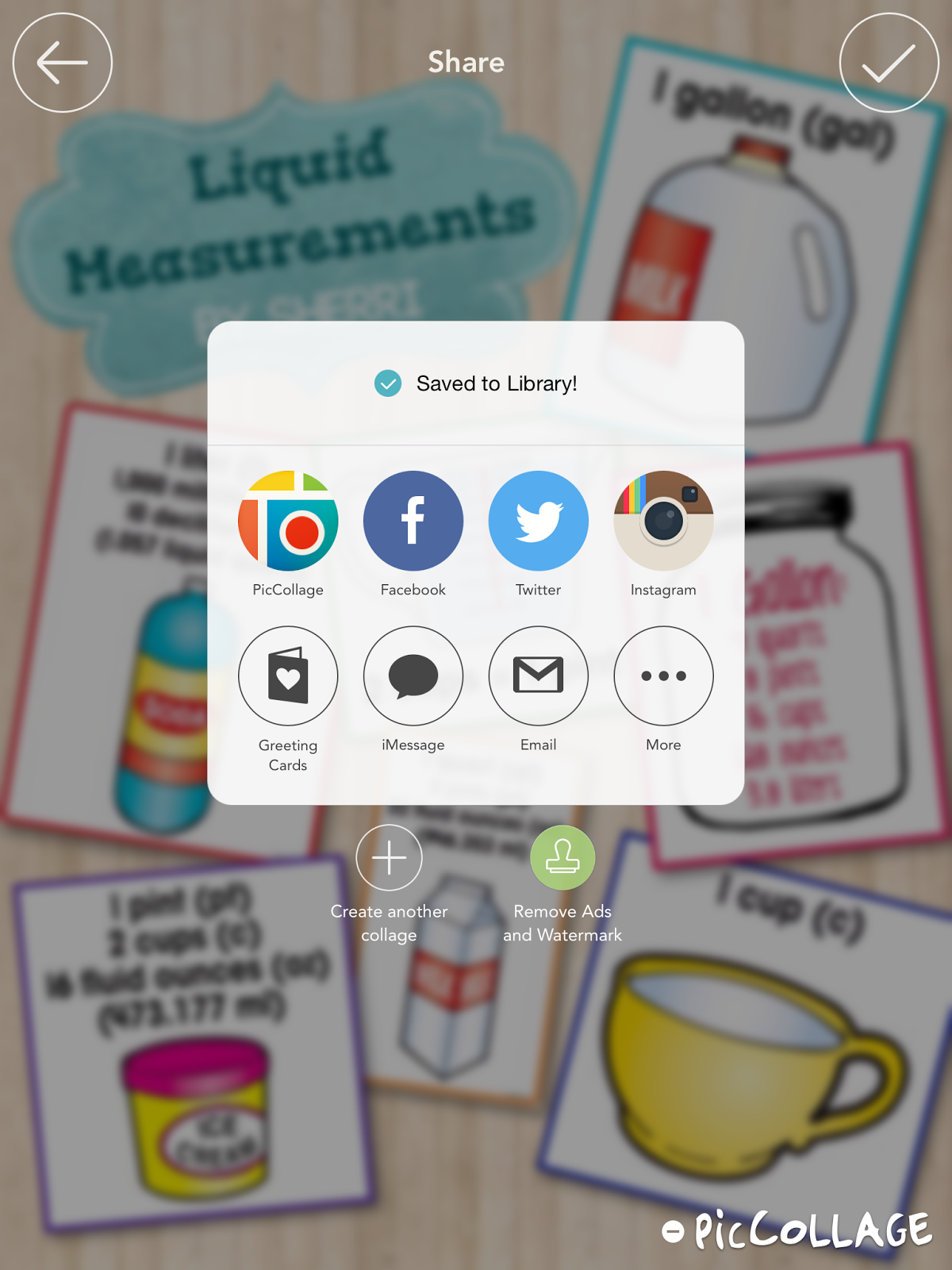
When finished, choose the bottom right button to save your collage.  It will automatically save to your picture library or you can save it in other locations.
I hope this post has inspired you to make some creative collages with your students or even just for yourself!  I'm linking up with Juliet at Teaching Trio for Tech Thursday!  Check out her posts as well.


Happy Creating!
 

March 8, 2015

Do you Kahoot!?

Kahoot is one of my favs and I absolutely LOVE it!  So what is Kahoot?  It is a fun and engaging classroom response system set up as a game between students.
This game created on the Kahoot platform consists of multiple choice questions on any topic.  Use computers or mobile devices to create and play.  Create your own questions or search the public Kahoots for one that is all ready to go.  You can even copy a public Kahoot and edit the questions to your liking. 

So, how do you begin?  Start by visiting the site https://getkahoot.com/ and create a free account.


Click New Kahoot to create your own or Public Kahoots to search for one on your topic. Walk through the steps to add, edit, delete or reorder questions.  Once you've created a Kahoot you are ready to play.  Connect to a projector with your computer or mobile device and click play on your Kahoot.  


Students connect through a different website.  Have them use https://kahoot.it/.  On our iPads, I added this site to the Home Screen so it is easily accessible.  Students will see your Pin for the game on your screen and add it to their site to join the game.  They will add their name on the next screen.

Your screen...

Their screen...


 Once you begin the game, your projected screen will show the question....


Students will read the question on the screen and the answer choices.  They will choose the answer on their device.  It will look like this...


As the play continues, students earn points for correct answers and the top 5 students are shown after each question.  At the end of the game, you can download reports that show lots of desegregated data.  

I created a Kahoot on money for a 2nd grade class.  Feel free to take a look and use this Kahoot in your class!  
Click {HERE} to access this Kahoot. 


Have fun playing!

post signature

February 28, 2015

It's an Appy Day... ChatterPix Kids

It's an Appy Day and today I want to tell you about a great app - ChatterPix Kids!  One of the best things about it is it's FREE!


Bring your pictures to life with the app ChatterPix Kids!  This is an awesome iPad/iPhone app and has endless possibilities.  Your students will LOVE it.  With this app all you have to do is upload a picture, record your voice and the app will create a movie that looks like the picture is talking!  In the past, I have used this app with photos of famous Americans.  Recently I worked with a first grade class and we used the app for Black History month.  Students used the app to tell about famous black Americans that they had been studying.  We did something a little differently this time and it turned out so adorable.  Take a look at one of our videos below...


This time, instead of uploading a photo students drew pictures of their person.  They are SO cute and it really made all of the difference.  We started with a line drawing of a head.  This will make it easier for young students to draw their person and makes them large enough for a nice scan.  You can find the one I used here.  After students drew their pictures, I scanned them and loaded them on the iPads through Dropbox.

Students also completed research on their famous American.  You can have them complete this page which will help when they record in the app.  After completing the page, they can buddy up and practice reading to their partner.  This is great for fluency! :-)


Below are the steps for using the ChatterPix app. It's so easy your students will be creating videos in no time!


Have fun creating!
post signature

March 3, 2014

1, 2, 3... An App-tastic Monday!

Well, we are home today with yet another snow day...  Living in southeast VA, it is quite unusual for us to miss more than maybe one or two school days a season, but today is our 6th day home this winter so far!  Wow!  What a strange winter this has been.  Yesterday my husband and I took a walk at the park to enjoy the nice 70 degree weather and today we get ice and snow.  Gotta love Virginia weather.  I'm guessing we will be home tomorrow too since our streets are still a sheet of ice.

I recently found some new apps I have shared with my teachers, so I thought you might like them, too. 
 
#1  The first is Tellagami.  Create awesome animated videos called a "Gami"!  Students create an avatar using the simple tools in the program.  They can either choose a background in the free pack, draw their own background, or upload one from the iPad library.  Then students can type what they want the avatar to say and choose a voice or they can record their own voice.  I can see students uploading pictures of historical events or places and then talking about them!  The video can be shared via email or social network or can be downloaded to the iPad library.  I am getting ready to work with classes who are studying famous Americans and I hope to use this app with them. 
 
 
Click this link to see a Gami that I created for my teachers.
 
#2  The second is ChatterPix Kids.  ChatterPix Kids can make anything "talk".  Import a photo, drawing, or clipart, draw a line for a mouth and record your voice.  The app will create a video of your person or object talking.  So, how can you use this?  Have your students draw a character from a book, then have the character "talk" about the book.  Or use pictures of famous people recording facts about that person.  I'm sure you will come up with some great ideas for using this app! 
 
 
#3  The last app I want to tell you about today is an awesome fractions app called Fractions by Brainingcamp.  This FREE fractions app has everything you need for teaching and learning.  For each topic there is a narrated lesson, practice questions, virtual manipulatives and a challenging game.  Students can "write" on the app like a white board as well as manipulate fractions pieces.
Topics covered include:
  • Fractions Intrroduction
  • Equivalent Fractions
  • Common Denominator
  • Comparing and Ordering Fractions
  • Adding and Subtracting Fractions
  • Multiplying Fractions
  • Dividing Fractions


I hope you get some use out of these apps.  Enjoy your snow day if you are having one after this storm.  Since I started this post, I have received "the call" that we will be home again tomorrow.  

post signature

January 30, 2014

"App"solutely Cool Tools

I've been off from school for the past 2 days enjoying the SNOW we got here in southeast VA!  It snowed about 6 inches here in Gloucester after getting about 3" last week.  This is really unusual for us.  We usually get a good snow like this once every couple of years and we've had 2 within a week!  Crazy!  But we are loving it.  And... I just got word that we are off again tomorrow.  Last week we only saw students for 1/2 a day Tuesday (Friday was a teacher work day) and this week we only saw them on Tuesday (Monday was a work day).  As much as I love the days off, I'm sure I won't be loving them when we have to make the days up.  Oh well... :)  My co-teacher and I are working on this big project... the book trailers I talked about in an earlier post.  At this rate, it'll be March before we finish them, but I promise to post about them soon.

I've been saying to myself over the last few weeks that I really need to share the resources I obtained from our annual state technology conference on this blog, so here goes...  Back in December we attended the VSTE conference.  VSTE is the Virginia Society of Technology in Education and I LOVE going to this 3-day conference.  I always learn so much and come home rejuvenated!  My colleagues and I created a document that we shared with our teachers with all the resources we learned about.  There are many great apps and websites in this document.  I hope you are able to find several that you can use.  Click on the picture below to access and download the document.

https://drive.google.com/file/d/0B7eFGgIVwEHgOXlHd1hWY2g1eU0/edit?usp=sharing
 
 
Some of my favorites are EduCreations, NearPod, Poll Everywhere and Socrative.  I also love the website Interactive Sites for Education.  This site has a great listing of K-5 online, interactive, educational games and simulations all in one place.  It's awesome!
 
Enjoy these resources!
post signature